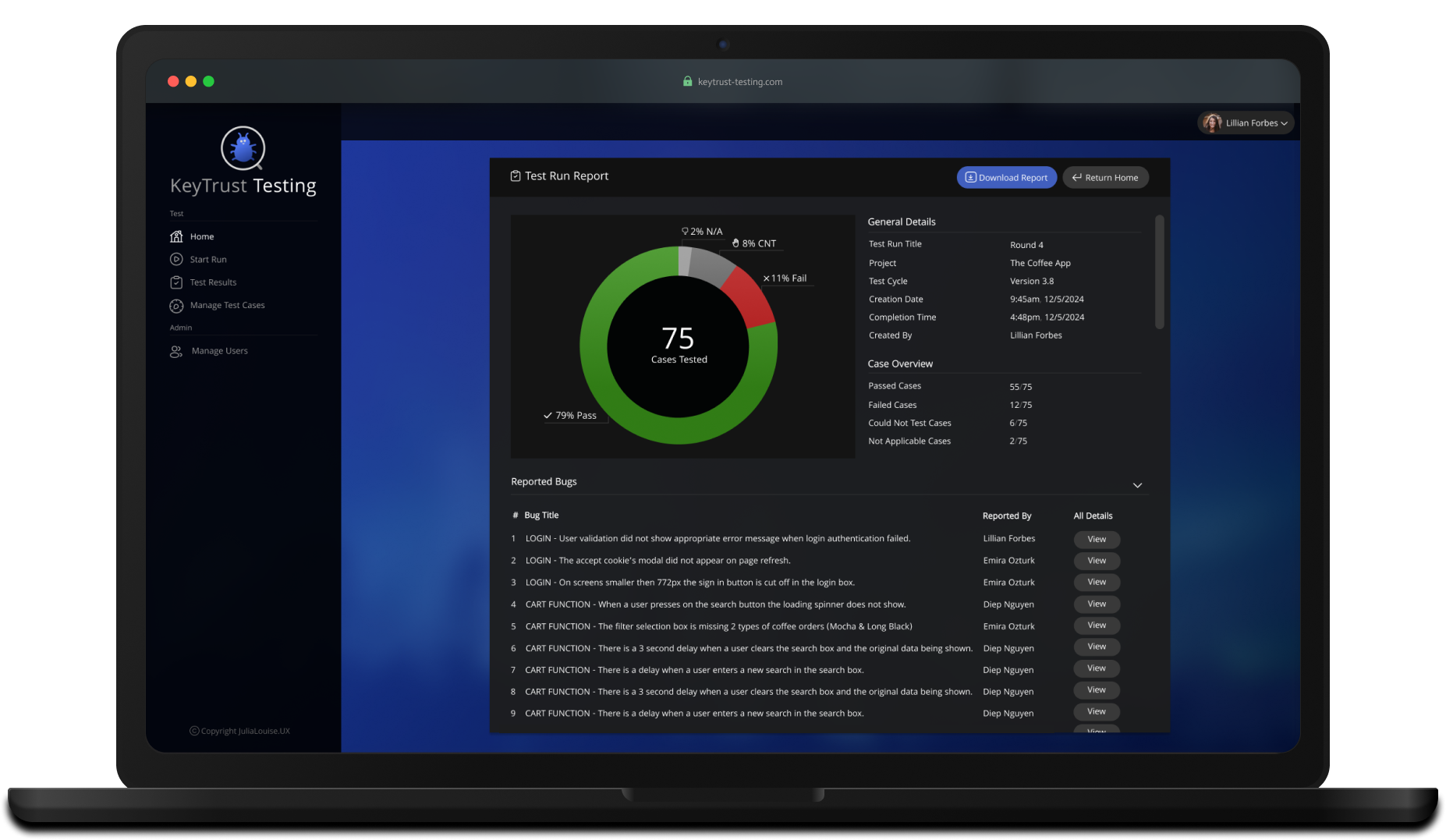
KeyTrust Test System shown in laptop

KeyTrust Test System

A fresh approach to companies internal test system.

Web Application  |  New Product Design

 Read Case Study

Project Introduction

The KeyTrust test system was developed to modernize and streamline the company's manual testing capabilities by transitioning from Excel sheets to a bespoke online web application. This platform enabled the test team to efficiently and scalably manage test cases and runs for the company's current and future products.

The Problem

Software development company, KeyTrust had been working on releasing their most comprehensive version of HealthSphere, a telehealth video conferencing platform that facilitated services between rural Australia and city based specialists. Their next release required more complex workflows their current manual test system couldn't keep up with.

Two Failed Solutions

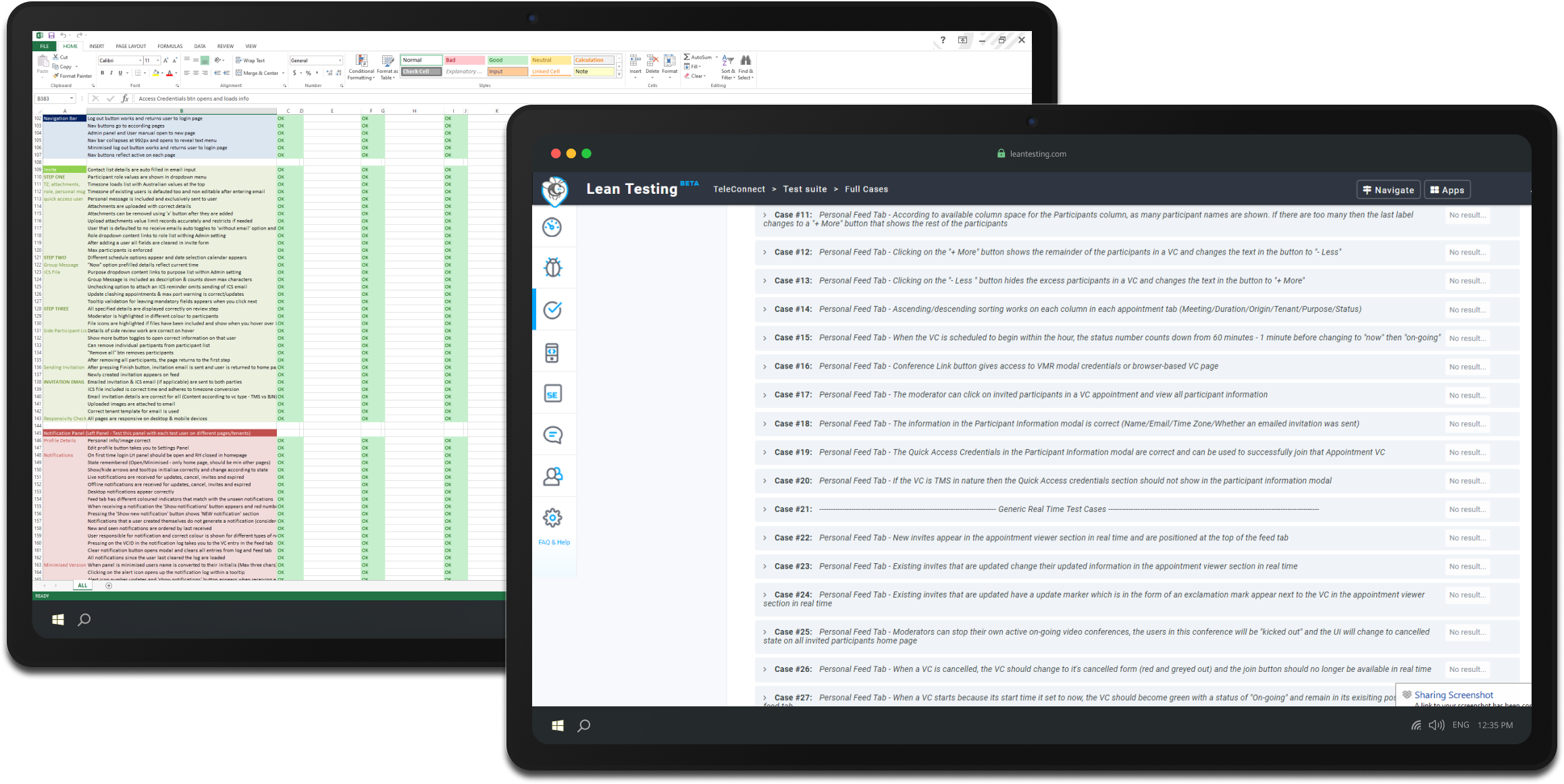
Initially the test lead wrote and maintained test cases in a single Excel spread sheet. At the start of each new test run, a fresh sheet containing the cases would be shared with all testers. During the test run any reported defects would be noted within the sheet. This solution had become overwhelmingly tedious and had poor scalability.

Subsequently the team tried Lean Testing, an online web application that was used for 6 months. This solution was deemed unfit when the system started experiencing outages unexpectedly. Shortly after, Lean Testing announced it could no longer afford its server costs and stopped offering the system. The test team were suddenly left with no suitable platform in the middle of the software development cycle.
The Solution

Working closely with the test lead and development team, we determined a bespoke in-house solution was the best path forward. An internal web application would protect against the system becoming unexpectedly unavailable again and address existing usability pain points affecting test run efficiency. I began the design of the new web application.

Project Design Process

Finished Product

Test Run Dashboard

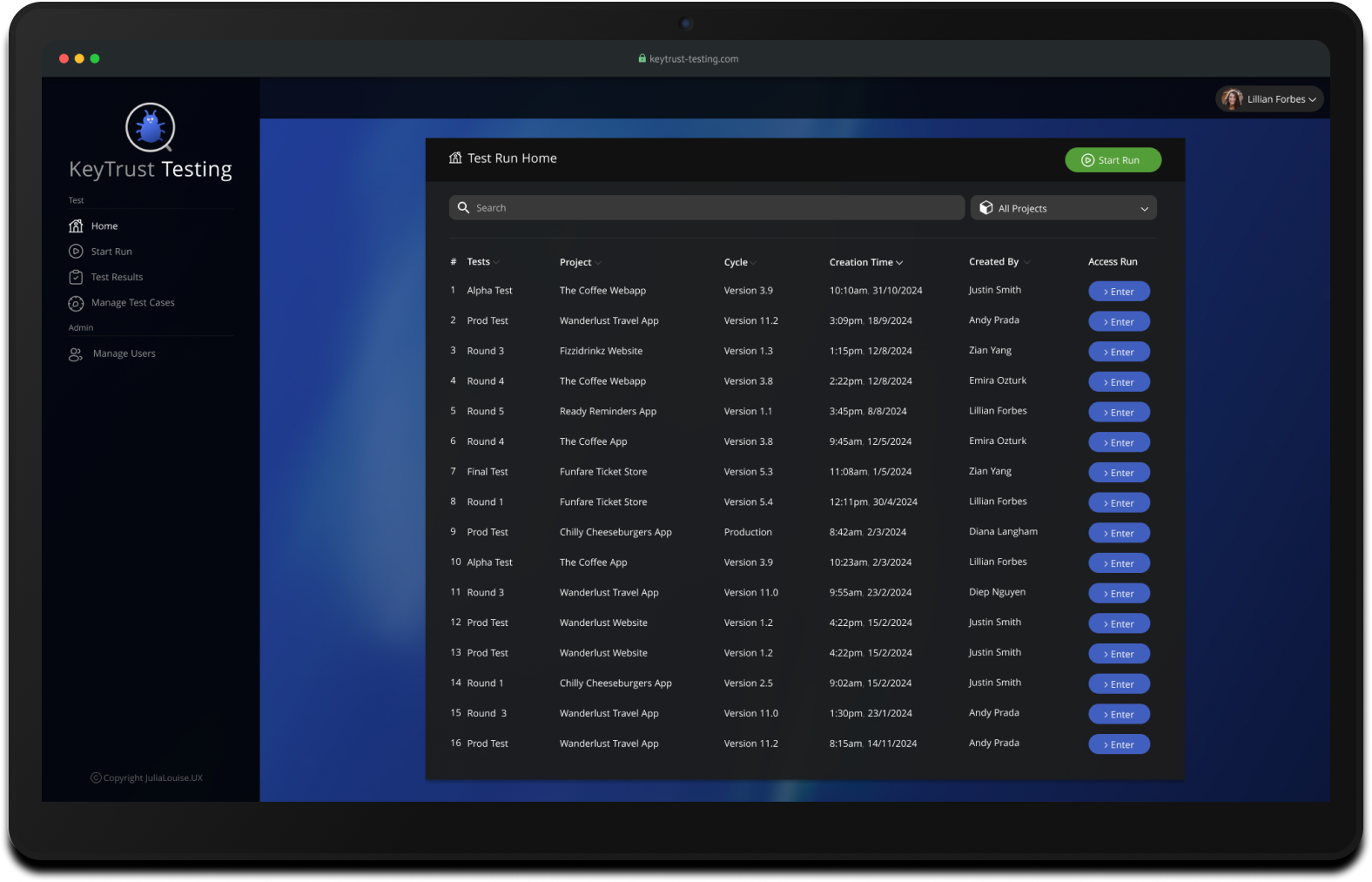
Following sign in, users are directed to the home page where current test runs can be viewed at a glance. Test team members and project management alike can view and access all runs taking place within the company.

Test Run Dashboard

Following sign in, users are directed to the home page where current test runs can be viewed at a glance. Test team members and project management alike can view and access all runs taking place within the company.

Synchronous Test Run Data

With the introduction of synchronous data, team members can seamlessly follow test run progress and see changes to case statuses by relying on automatic push updates.

Test Run Reporting

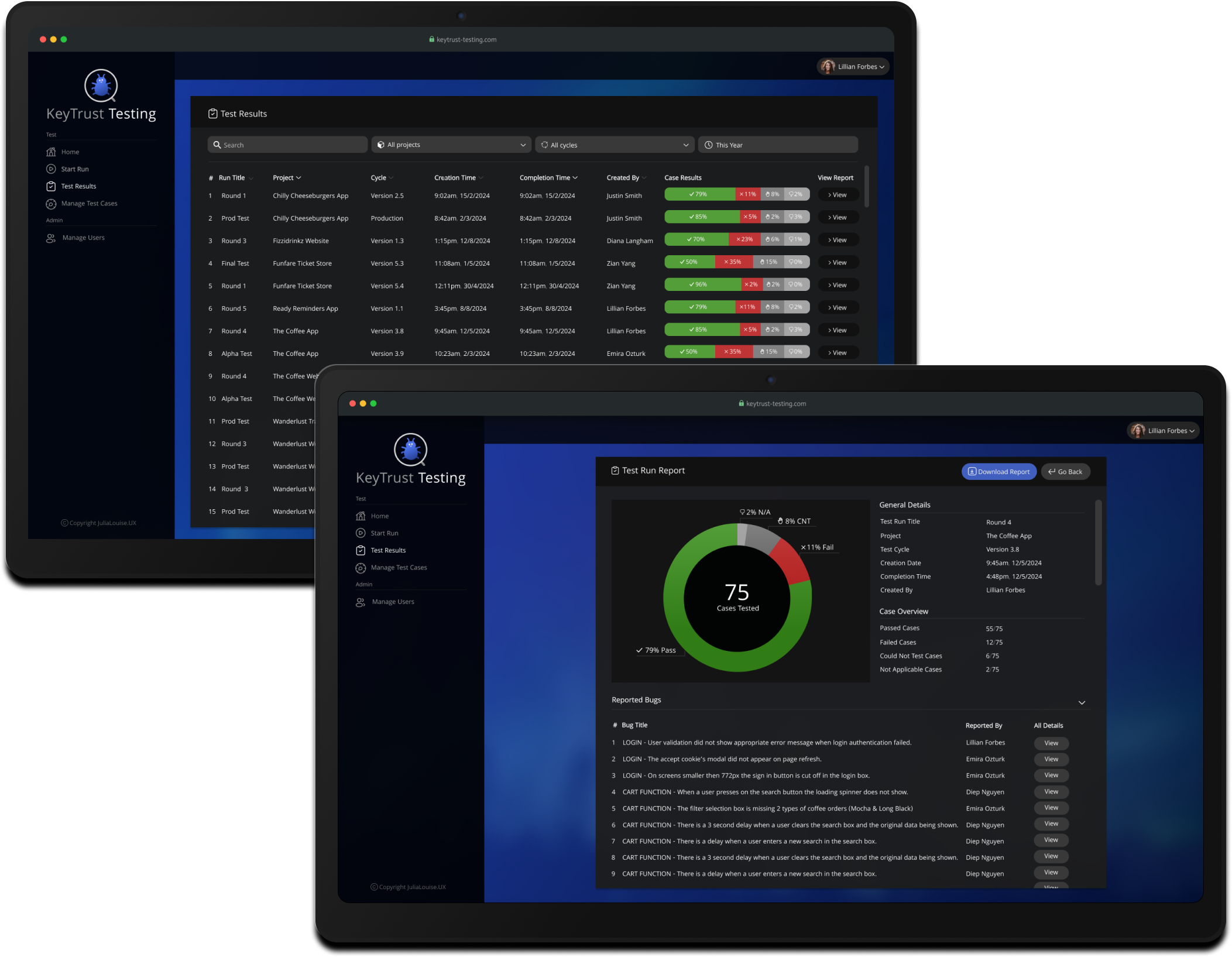
All run results can now be viewed from the Test Results page. Filter options covering time periods, projects and their development cycles can be used by project management to track a products test cycle progress. Test data can also be extrapolated to view test cycle trends over a subset of time or drilled down to a granular level by viewing a reports individual results.

Test Run Reporting

All run results can now be viewed from the Test Results page. Filter options covering time periods, projects and their development cycles can be used by project management to track a products test cycle progress. Test data can also be extrapolated to view test cycle trends over a subset of time or drilled down to a granular level by viewing a reports individual results.

Bug Reporting with PMS Integration

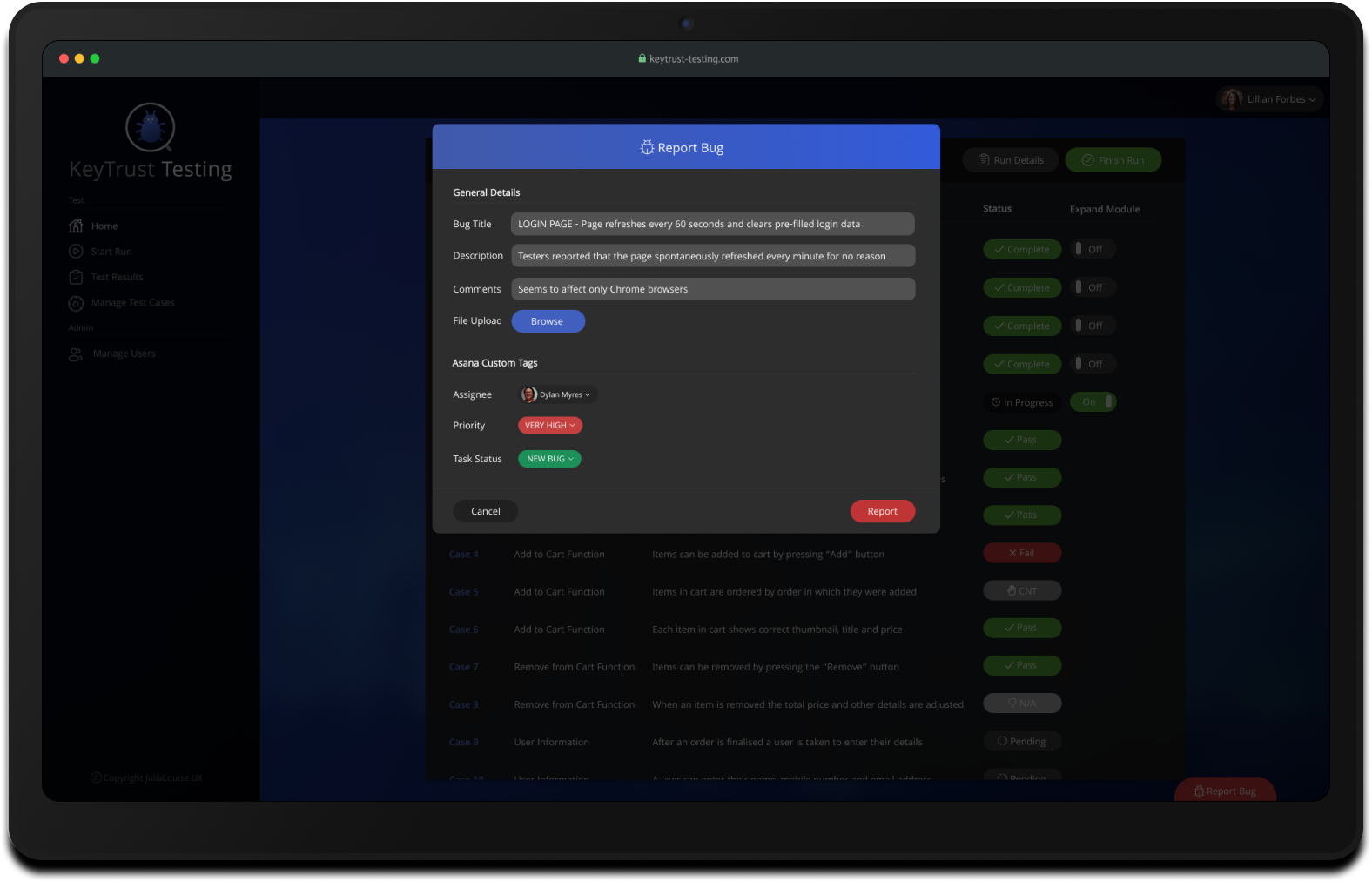
The test team no longer has to switch between the test system and project management software when conducting a test. By using the Report Bug function, any team member can submit a bug and create a task within the PMS at the same time. Additional data such as comments, file uploads and even bespoke system fields, such as the task assignee, priority and task status can be populated by using PMS APIs.
Test Case Management System

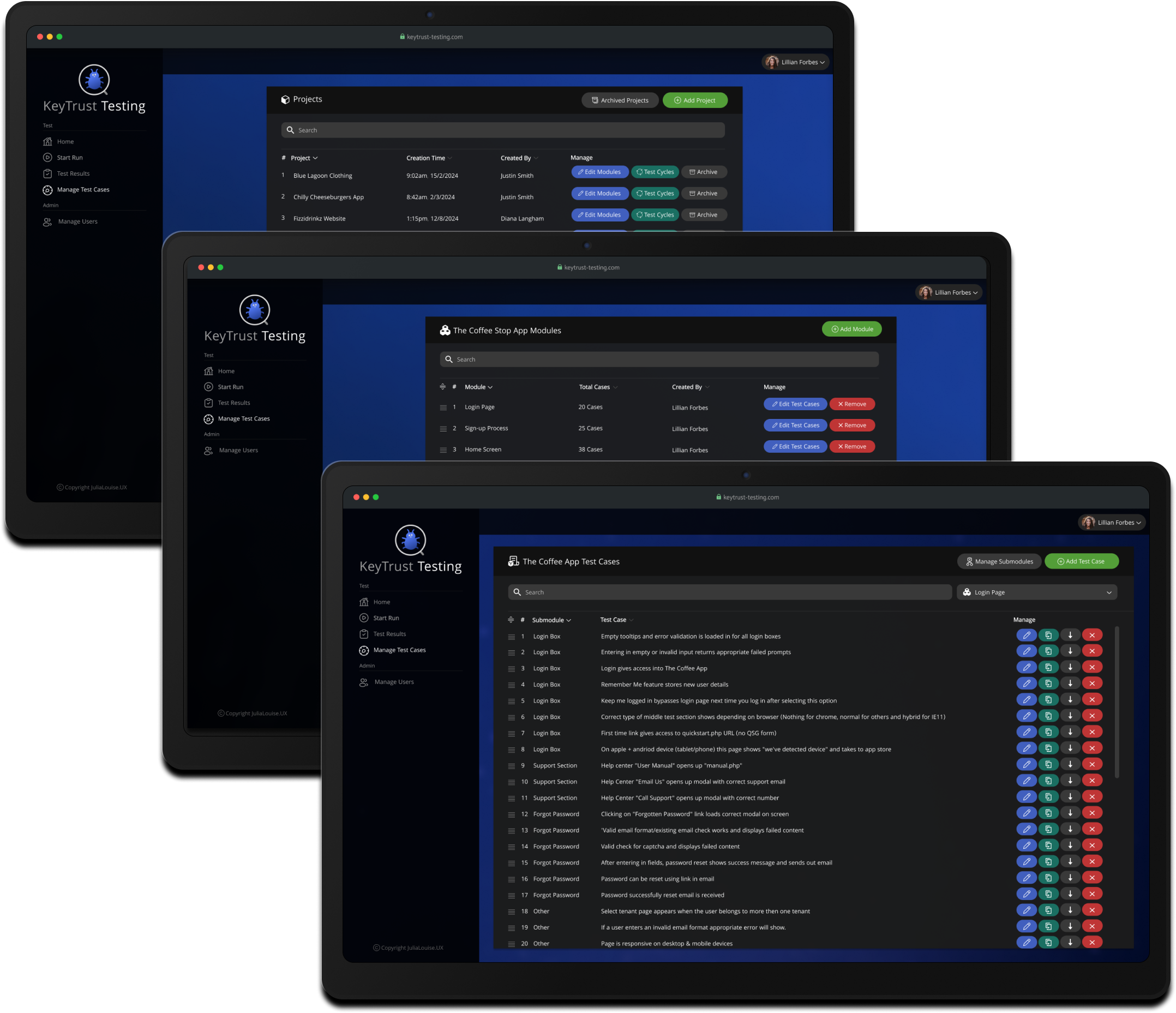
The test case management system has been designed to support modular test case design and execution. By breaking the case data structure into Product - Modules - Sub-Modules - Test Case the following usability benefits have been created:

  • Cases can easily be added, edited, deleted and extended without impacting other test modules.
  • Splitting hundreds or thousands of test cases into modules and sub modules has reduced data overwhelm and promoted easier search capability.
  • Custom test runs can be created using only selected modules.
  • Expandable/retractable modules make focusing and following cases being tested easier.
  • Retrieving only selected module data reduces page loading times.

Test Case Management System

The test case management system has been designed to support modular test case design and execution. By breaking the case data structure into Product - Modules - Sub-Modules - Test Case the following usability benefits have been created:

  • Cases can easily be added, edited, deleted and extended without impacting other test modules.
  • Splitting hundreds or thousands of test cases into modules and sub modules has reduced data overwhelm and promoted easier search capability.
  • Custom test runs can be created using only selected modules.
  • Expandable/retractable modules make focusing and following cases being tested easier.
  • Retrieving only selected module data reduces page loading times.

Dark UI with Calm Cool Tones

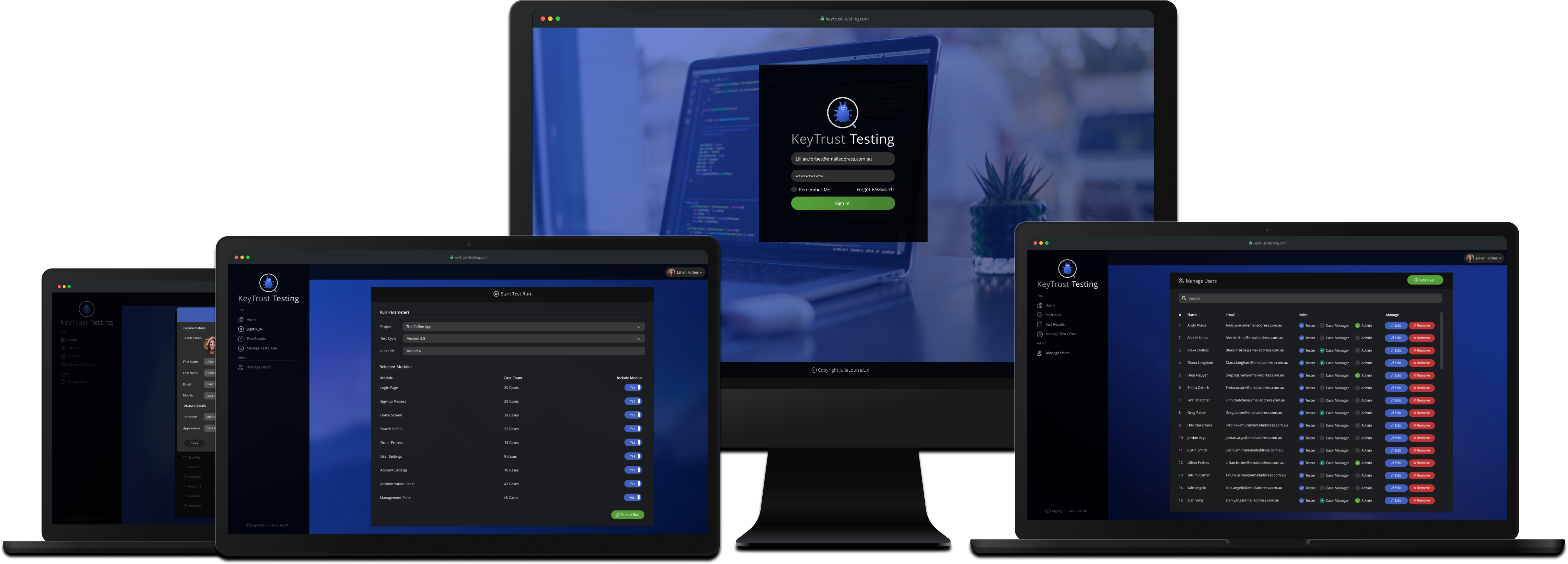
At the request of the test team, a dark user interface was used alongside a brand appropriate colour palette. Early on in the projects research phase, many of the test team complained that they found starting at the previous light and bright UI's taxing. This overhaul in UI aims to reduce headaches and tiredness that come with eye strain during long test runs.
 Measuring Impact

How did the system perform?

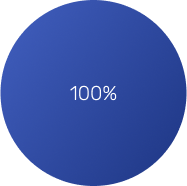
The KeyTrust Test System transformed the testing process, reducing test run times from up to five days to just two or three. Features like integrated bug reporting and real-time updates kept the team synchronized, eliminating inefficiencies that had plagued previous tools. Testers could now add or edit test cases in just 10 seconds - a dramatic improvement from the 30-60 seconds required in Excel or LeanTesting. Bug reporting became faster and easier, taking only 30-45 seconds compared to the lengthy, tool-switching process of the past. The result? A 100% satisfaction rate from the test team, who praised the system's reliability, seamless workflow, and freedom from the frustrations of outdated tools.

Conclusion & Next Steps

The system was adopted immediately by the test team and has been in active use since deployment. A future version is planned to support automated test runs.

Want to go deeper?

This case study includes a full walkthrough of the research, design and prototyping process.

Research Phase

Stakeholder Interviews & Data Analysis

Interviews were conducted with the relevant stakeholders from within the company. As the primary users of the existing solution, data was predominantly collected from the test lead & other members of the test team. Key data points obtained:

  • Difficulties encountered when conducting test runs with Excel and Lean Testing
  • Useful existing features when conducting test runs with Excel and Lean Testing
  • Additional features that would make test runs more efficient
  Pain-points Discovered Strengths Discovered
Excel
  • Keeping & tracking past test results was tedious and created a large unmanageable backlog of files.
  • Manual collation of test results was required for presentations.
  • Test cases were hard to read and follow due to erratic formatting.
  • Handled large number of test cases without impacting software performance.
  • Operated reliably with no system downtime.
Lean Testing
  • System struggled with the volume of test cases, causing frequent loading & performance issues.
  • Sporadic system outages caused significant disruptions to testing cycles, sometimes lasting hours.
  • Lack of support for modular test case structures hindered maintenance and usability.
  • Generated test run overviews that could be used when presenting progress report to management.
  • Nature of cross-browser web application supported international and remote test teams.
  • Offered user management system with role-specific permissions.
Both
  • Asynchronous reporting during runs made it hard for test lead and team to track/follow progress.
  • Additional system needed for recording defects & bugs during runs.
  • Bright interface colors caused eye strain over extended testing periods.
  • Neither solution allowed selecting desired test cases/modules to support custom runs.
  • None reported
Wish List Highlighted Insights
  • Web application supporting major browsers
  • Support for multiple projects
  • Test module selection when creating run
  • Test run support for 1000 cases
  • Direct bug reporting during runs
  • Project management system tag integration for bugs
  • Synchronous data during runs
  • Flexible data manipulation in case management
  • Modular data structure in case management
  • Calming, dark interface
  • Overview of test run results
  • Ability to download test result report
  • User management with tiered role permissions

100% of the team felt neither Excel or Lean Testing were suitable solutions

100% wanted bug reporting integrated to avoid having to switch systems during runs

100% wanted synchronous data updates for easier case tracking

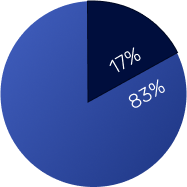
83% of the team wanted a dark palette over a light one to reduce eye strain

83% of the team felt over 3 seconds was too long for web app test system to load

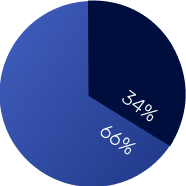
66% felt each test runs should support a minimum of 1000 test cases
Competitive Analysis

A cursory competitive analysis was conducted to ensure there was no suitable existing market solution. Upon completion it remained clear that a bespoke in-house solution was the most appropriate way forward.

 
Web App Platform
Supports 1000+ Cases
Run Overview Reports
Modular Project & Case Support
No Risk of External Downtime
Synchronous Reporting
Pleasant/Eye strain friendly UI
Direct Bug Reporting Capability
Economical

Define Phase

User Personas

User personas were created as reference points for evaluating ideas and decisions during the design process and stakeholder conversations. This was particularly helpful when creating the product map, as each persona represented real team member needs when prioritizing features.

Ideate Phase

Information Architecture

To kickstart the Ideate phase, I created a Release Feature Map for the solution to determine the initial feature set. To better understand the overall system structure needed for desired functionality, I developed a sitemap and a system-wide task flow diagram that outlined the entire solution.

Release Feature Map
Product Site-map
System Taskflow
Release Feature Map, Product Site-map & System Taskflow

Prototype & Test Phase

The basic structure and layout of the new test system began to come together as I created the low-fidelity wireframes. By adding user flow data to the designs I was able to conduct initial usability testing. Each member of the test team was asked to perform the basic functions using the wireflow. Most task flows were completed without difficulty and only minor adjustments were required.

Low Fidelity Wireframes & System Wireflow
Low Fidelity Wireframes
System Wireflow
UI Kit

Prior to the high fidelity wireframes, I put together a UI kit containing reusable elements. These components helped create consistent, visually appealing interfaces.

High Fidelity Wireframes

Using Adobe XD, I transformed the basic structure and workflow of the low-fidelity wireframes into high-fidelity designs of the product. Once complete, a design review meeting was held with the relevant stakeholders. Any agreed-upon amendments were then incorporated into the designs in an iterative process.

Key Iterations

During the design process, several critical iterations were completed based on usability testing and stakeholder feedback. These iterations addressed key challenges and enhanced the functionality of the test system, ensuring it met the needs of both testers and test leads. Below is a summary of the most impactful changes.


Hand Off Phase

Handover & Development Phase

Before the development phase began, the solution was presented to the development team. This gave the engineers an opportunity to request clarifications before coding began. To mark an end to the design process, a full set of wireframes and design notes were made available. As the development phase commenced, my role in the project transitioned to front-end developer. I worked alongside the software team building out the front-end of the web application. A benefit of working alongside the developers was the opportunity to readily provide clarification on the product design and workflow.

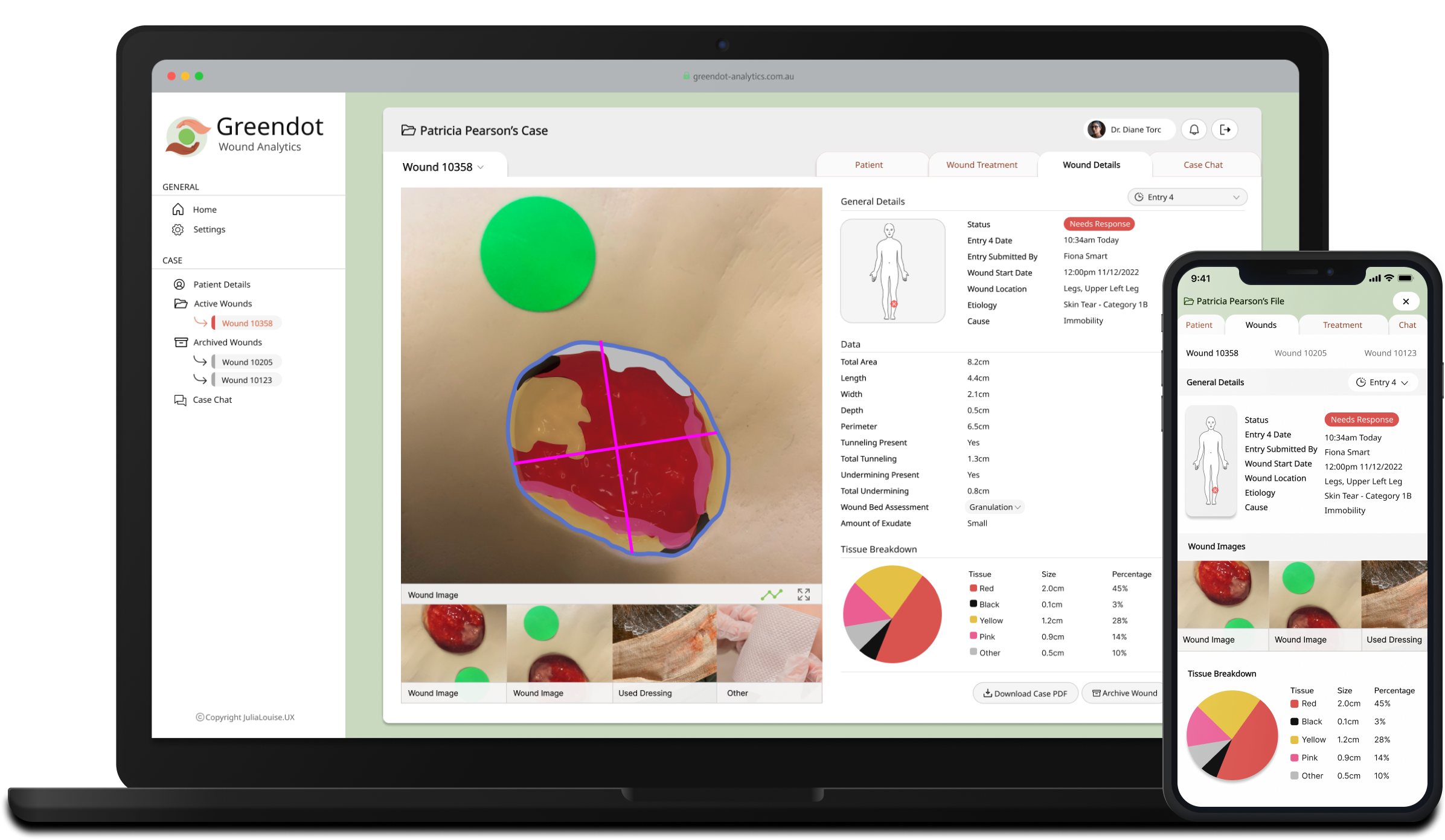
Next Case Study: Greendot Analytics

Greendot Analytics app shown on laptop and mobile screen